

How to open PSD and PSB files in PhotoCraft
What PhotoCraft 0.7.0 supports when opening and saving Photoshop PSD and PSB documents, layered TIFF, and other formats, with the limits documented by the project.
Updated 2026-10-11 · PhotoCraft 0.7.0
PhotoCraft reads and writes Photoshop documents with its own PSD library, a standalone crate that the project says was written from Adobe's public specification. It supports PSD (version 1) and PSB (version 2, large documents).
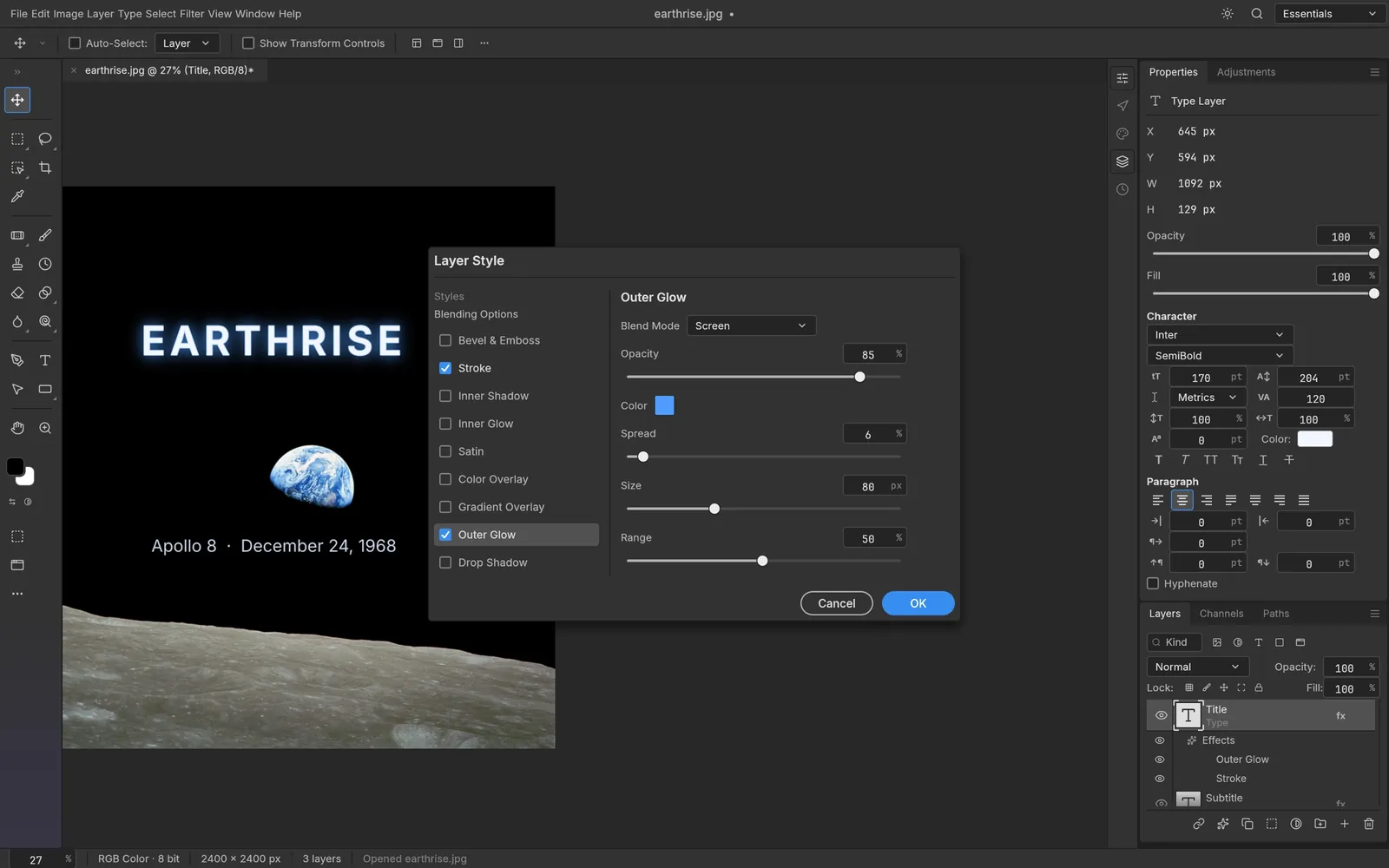
Layer styles
Screenshot from PhotoCraft (MIT OR Apache-2.0) · artwork: Earthrise, William Anders, Apollo 8, 1968 (NASA) (public domain) · ATTRIBUTION
Open a document
- Choose File › Open… (Cmd+O on macOS, Ctrl+O on Windows and Linux).
- Pick a
.psdor.psbfile. - Layers, groups, masks, layer styles, type and shape layers open as editable layers.
- Save with File › Save (Cmd/Ctrl+S) or File › Save As… (Cmd/Ctrl+Shift+S).
According to the README, PSB files, 16-bit and 32-bit files, and CMYK and Lab documents open natively. Type layers stay editable and round-trip through PSD.
How faithful is it?
The project publishes its own measurements, and they track different things:
- Round trips (README): opening and re-saving a document renders the same for 307 of the 309 files in the psd-tools test set, and for 169 of 170 files in the project's mixed ag-psd/psd-tools set. Data PhotoCraft doesn't model yet is carried over rather than dropped.
- Matching Photoshop's render (docs/gaps.md, reviewed 2026-10-10): Photoshop-authored oracles match for 133 of 256 files (52%). The project lists "PSD fidelity and Photoshop acceptance" as its top gap before beta. It also notes that PSDs PhotoCraft writes are not always accepted by Photoshop.
In practice: keep your original PSD, and test a round trip before you rely on PhotoCraft in a Photoshop-based workflow.
Built-in safety limits
The PSD parser enforces explicit limits: document width and height of at most 300,000 pixels each, at most 56 document channels and 64 layer channels, and at most 2 GiB of decoded channel data for one decode layout. The project's installation guide asks you to treat PSD, PSB and other input files from unknown sources as potentially malicious.
Layered TIFF and other formats
- Layered TIFF: Photoshop's layer data inside a TIFF is read and written, so groups, masks, layer styles, type, shapes, smart objects and adjustment layers open from a TIFF exactly as they do from a PSD.
- Also opens: Paint.NET PDN (read), OpenRaster
.ora(read and write), SVG (opens as shape layers), and Affinity documents (.af,.afdesign,.afphoto,.afpub, read-only). - Flat formats: PNG, JPEG, TIFF, WebP, GIF, BMP, TGA, ICO, QOI, PNM, OpenEXR and Radiance HDR, plus PhotoCraft's native
.pcraftformat. HEIC is read-only and included in official builds. AVIF is write-only and needs an optional build feature. JPEG XL isn't available.
New in 0.7.0: layered edits of flat images now default to PSD when you save.
Sources
Every factual claim in this article is taken from these upstream files. If something here disagrees with them, the upstream source wins.
PhotoCraft Hub is an unofficial community site. PhotoCraft is made by the ArtCraft team; screenshots are from the PhotoCraft repository (MIT OR Apache-2.0) and show public-domain artwork.
NextPhotoCraft keyboard shortcuts cheat sheet