

PhotoCraft vs Photoshop: what matches and what is missing
An honest comparison of PhotoCraft 0.7.0 and Adobe Photoshop, based on PhotoCraft’s own README and its published gap list: features, file compatibility, price, platforms and current shortcomings.
Updated 2026-10-11 · PhotoCraft 0.7.0
PhotoCraft describes itself as "an open-source, clean-room reimplementation of Adobe Photoshop, rebuilt in pure Rust." This page compares the two using only what the PhotoCraft project itself publishes. We haven't run any benchmarks of our own.
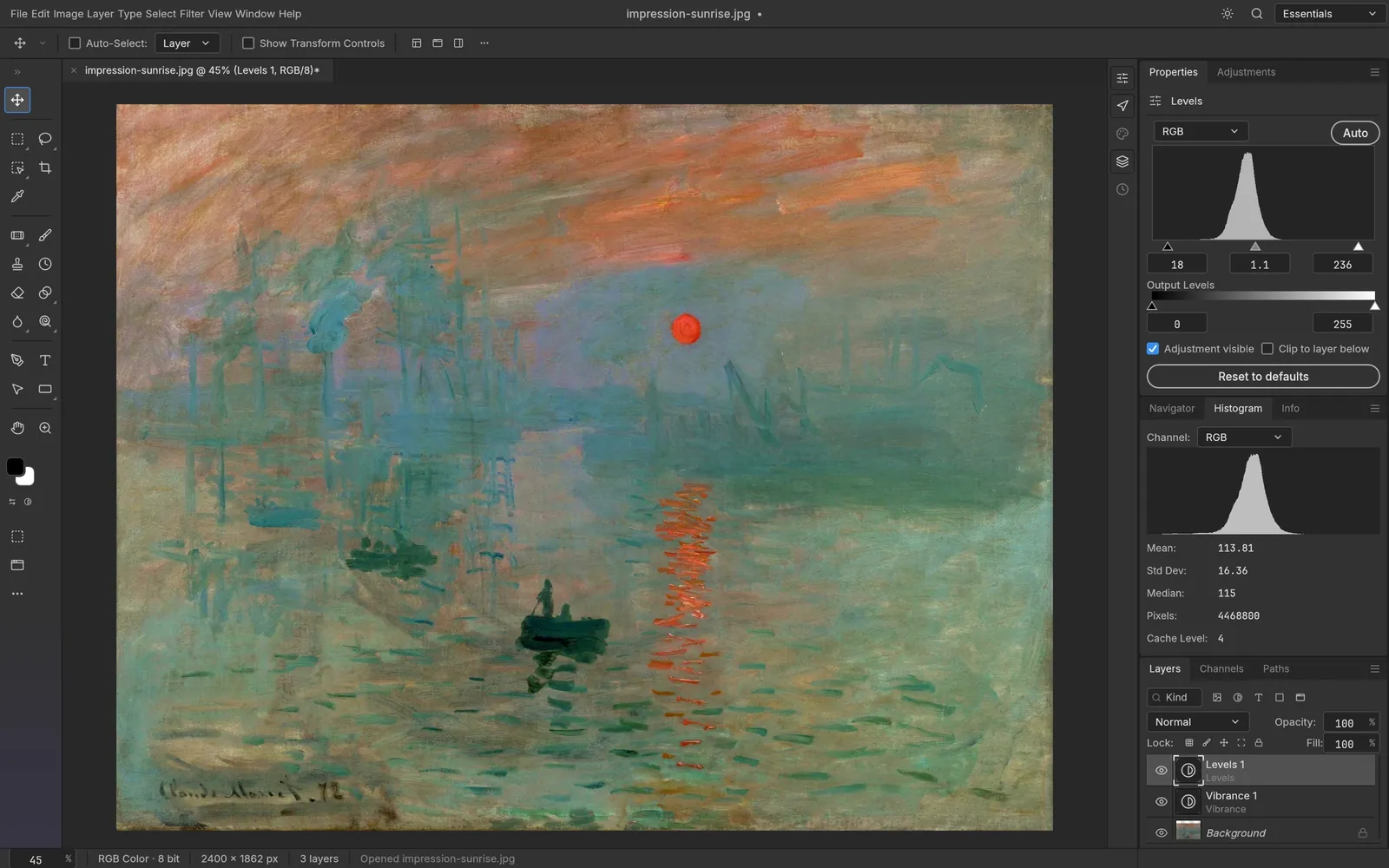
Adjustment layers
Screenshot from PhotoCraft (MIT OR Apache-2.0) · artwork: Impression, Sunrise, Claude Monet, 1872 (public domain) · ATTRIBUTION
At a glance
| PhotoCraft 0.7.0 | Adobe Photoshop | |
|---|---|---|
| License | MIT OR Apache-2.0, open source | Proprietary |
| Price | Free | Subscription |
| Platforms | macOS, Windows, Linux, FreeBSD, web (WebAssembly) | macOS, Windows (desktop) |
| Maturity | Early alpha (per the project) | Mature |
Where PhotoCraft matches the Photoshop workflow
According to its README, PhotoCraft 0.7.0 includes:
- 65 tools, from the Marquee and Lasso tools through Healing, Clone Stamp, Pen, Type and Shape tools.
- 16 adjustment layers, including Curves, Levels, Black & White, Channel Mixer, Gradient Map, Selective Color and Color Lookup.
- Layer styles: Drop Shadow, Inner Shadow, Outer and Inner Glow, Bevel & Emboss, Satin, Stroke, and Color, Gradient and Pattern Overlay.
- Layers: groups, clipping masks, pixel and vector masks, smart objects with smart filters, and 27 Photoshop blend modes.
- Color: RGB, Grayscale, CMYK and Lab documents at 8, 16 and 32 bits per channel, with ICC color management and soft proofing.
- Files: PSD and PSB, layered TIFF, and many flat formats (see opening PSD files).
- Familiar shortcuts: Photoshop-style defaults, plus importing Photoshop
.kysshortcut sets.
Where PhotoCraft falls short today
The project keeps a public, ranked list of its shortfalls against Photoshop 2026 (27.11.0) in docs/gaps.md. The items it marks as blocking beta are:
- PSD fidelity and Photoshop acceptance: Photoshop-authored files don't always render as they do in Photoshop (133 of 256 oracle files match), and Photoshop doesn't always accept the PSDs PhotoCraft writes.
- Interactive performance.
- A backlog of user-reported bugs.
Other gaps on the list include brush feel, transform handles, some missing tools (for example the Color Sampler and Art History Brush), type depth, Camera Raw depth, AI and generative features, and compatibility with Photoshop plug-ins (.8BF, UXP).
Who should try it
PhotoCraft is worth trying if you want a free, open-source editor that feels like Photoshop, works on Linux or in a browser, or can be scripted (it offers a CLI and an MCP server). If you exchange PSDs with Photoshop users every day, test your own files first. The project itself calls PSD fidelity its top priority before beta.
Want more options? See free open-source Photoshop alternatives.
Sources
Every factual claim in this article is taken from these upstream files. If something here disagrees with them, the upstream source wins.
PhotoCraft Hub is an unofficial community site. PhotoCraft is made by the ArtCraft team; screenshots are from the PhotoCraft repository (MIT OR Apache-2.0) and show public-domain artwork.
NextHow to open PSD and PSB files in PhotoCraft